

Virtual Mall
There are many ways to expand student learning using technology, but it can be taken to the next level when STEM meets creativity. Margo Bridges has found the formula to make this happen in her classroom. As a teacher of STEM for the past six years, Margo’s class has evolved as technology has changed. These days this evolution has taken her lessons into the world of virtual reality. Margo’s students experience unique opportunities that span a vast array of technology literacy. These experiences range from basic computer skills and digital citizenship, to creating real-world artifacts through 3D modeling and VR software. “My favorite platform this year has been CoSpaces EDU,” said Margo. “Most students have been exposed to virtual reality in the form of virtual field trips, but CoSpaces EDU offers something new. Instead of just consuming, students create their own VR experience through design and coding,” she said.
“I have always been fascinated by computer technology – not just using it but creating,” said Bridges, who found her true calling in education after a career in software development. “I can’t see myself anywhere else,” she said. Bridges finds great satisfaction when a student who defines themselves as “not good with tech” perseveres until they succeed. “They learn that they are in control of the technology they use, not the other way around,” stated Margo.

Virtual Senior Center
Hands On Learning
Bridges’ class, simply called ‘STEM’, integrates a plethora of skills necessary for today’s students through hands on learning with 3D design and virtual reality. Her go-to tools to make this happen are TinkerCAD software and online sharing using CoSpaces EDU. This work spans all three grade levels in her middle school, with each year flowing into the next. Students as young as grade 6 have the opportunity to practice their coding skills while designing 3D printable models in TinkerCAD. 7th grade students expand their design skills by creating interactive virtual experiences in CoSpaces EDU. “Students have created senior centers and malls, with one group recreating the space from the popular series, ‘The Office’.” said Margo. While it sounds like play, this work actually involves STEM concepts with three days of purposeful design, followed by block coding in CoSpaces EDU to make the final product interactive for end users.

Library Virtual Tour
Bridges is also working with the Norton Public Library to develop a virtual tour of the library. “I took a small group on a field trip to the library to interview librarians about the highlights and history of the library,” stated Bridges, whose students are putting the finishing touches on this project which will be shared for all to experience by the end of the school year.
Real World Experiences
Margo’s students also have opportunities to design in 3D using TinkerCAD. In these projects, students create objects such as prosthetics, puzzles, and video game characters that can then be uploaded into CoSpaces EDU or shared in Google Poly. Her students also make full use of GSuite for Education, including animated gifs created with Google Slides to include in their 3D environments. Bridges’ grade 8 students continue to work in
Grade 6 students also assemble computer hardware using Kano Kits, which are similar to Rasberry Pi
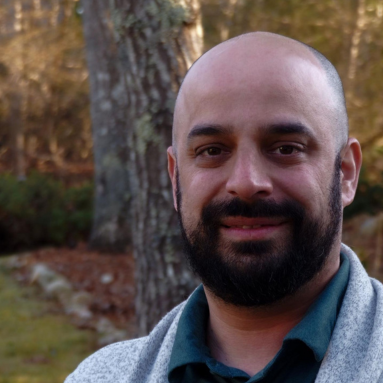
Norton Middle School STEM teacher Margo Bridges is happiest when she is learning right alongside her students. She has presented at the 大长腿白丝被c到爽哭视频 fall conference and at Learnlaunch Learning Innovation Showcase. She is a CoSpaces Edu ambassador and a member of the Tinkercad Advisory board. Follow her on Twitter @MBridgesNMS
 Print this post